
Home Blog

Unlock Mobitel E8372h-153 Sri Lanka

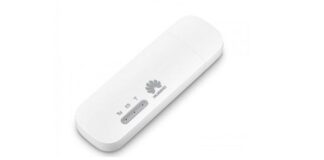
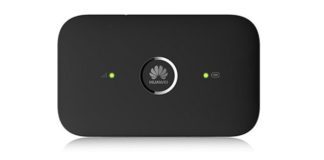
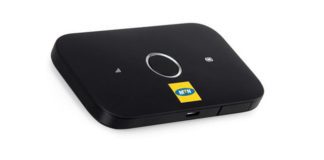
Mobitel Telecom in Sri Lanka is selling Huawei E8372h-153 modem in locked status. Mobitel E8372h has updated its firmware and now is sold with version 21.333.63.01.393 and WebUI 17.100.21.01.393. The good news is that it can be unlocked easily with the help of our unlocking software. The procedure mentioned below will unlock your modem without any risk.

Unlock E8372h-153

How to unlock Mobitel E8372h-153

Download and Install Drivers from here. If you are facing problems with driver installation follow this link.

Download Mobitel E8372H-153 Unlock App and open it. Go to User Login (Default username and password is unlockmyrouter).

Unlock E8372h-153

After successful login, Click on “Auto Detect Device”, your device information will get displayed.

Note: If you get the message connection failed or login failed, Download this file, extract and run it. It will enable the Com-Ports and will open Device Manager, check if there are two Com ports. If the ports are present, Click Login/AutoDetect. If you can’t see two ports, you have to fix the driver issue.

Unlock E8372h-153

After successful detection, Choose Flash Firmware and click the submit button. It will ask you to enter a code. Type the code here, which you have received from unlockmyrouter team and click OK.

Unlock E8372h-153

Your E8372H-153 router will restart and the firmware installation process will start automatically.

Unlock E8372h-153

Wait for the installation to finish.

Unlock E8372h-153

Your Mobitel E8372H-153 modem is now unlocked and will work with any SIM card. Restart it to apply the new settings by choosing Restart Device option and click Submit.

Unlock E8372h-153

Unlock code is not free. You will have to pay 6 USD to get the App Code to unlock Mobitel E8372h router. Kindly proceed only if you agree to pay the same.

Unlock Vodafone B310s-925 Zambia Router

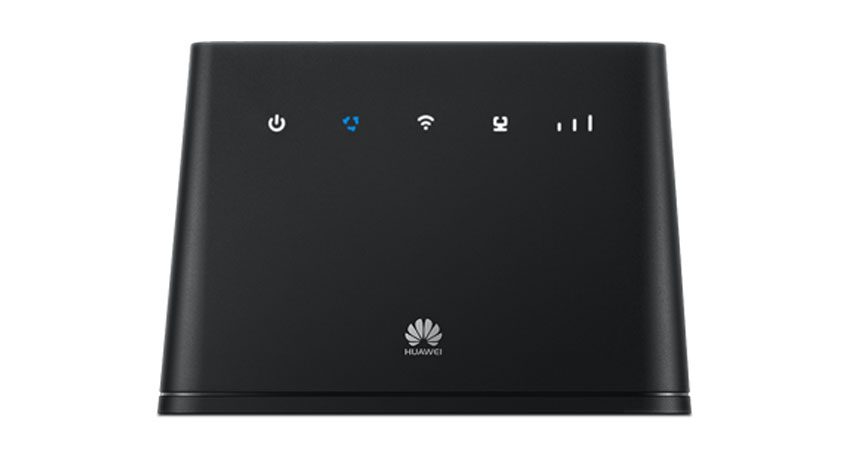
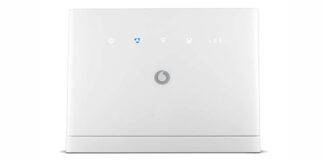
Huawei B310s-925 is sold by Vodafone in Zambia having firmware version 21.316.01.00.1416 and 21.333.01.00.1416. We are glad to inform you that Liquid Telecom B310s-925 can now be used with any sim card as we have managed to unlock it and that also without unscrewing. The below mentioned process can also unlock the Vodafone B310s-925 Zambia router having firmware version 21.333.01.00.1416 or lower. The good news is that you don’t have to disassemble the router and there is no need of soldering the USB cable.

Unlock B315s-936 and B315s-22 Router

Steps to unlock Vodafone B310s-925 Zambia router are as follows:-

  1. Download firmware 21.333.01.00.1416 of Vodafone B310s-925 from the given link. (Place order to get the file password)
  2. Turn ON the B310s-925 Vodafone router and connect it to the computer via LAN/Ethernet cable or Wi-Fi.

B310As-852

  1. Login and click on update option.
  2. Choose local update and click on choose file button. A Dialog box will open, select the file downloaded in step 1 and click OK.
  3. Click on update. Wait for the firmware update to finish. Don’t disconnect the router now and don’t interrupt the process in between otherwise the router will get bricked. During this process the router will restart several times.
  4. Once the router is restarted finally after the update and you are able to login using the web interface, then reset it using the reset button.
  5. Insert any incompatible sim card and enter the code received from us.

Congratulations, your router is unlocked now and can be accessed by IP address 192.168.8.1

Unlock code is not free. You will have to pay 6 USD to get the Code. Kindly proceed only if you agree to pay the same.

Unlock Orange B315s-607 Huawei Router

Huawei B315s-607 is sold by Orange having firmware version 21.333.01.00.406. We are glad to inform you that Orange B315s-607 router can now be used with any sim card as we have managed to unlock it and that also without unscrewing. The below mentioned process can also unlock the Orange B315s-607 Huawei router having firmware version 21.329.01.00.406 or 21.316.01.00.406 or lower. The good news is that you don’t have to disassemble the router.

Spark B315s-607

Steps to unlock Orange B315s-607 Router are as follows:-

  1. Download firmware 21.333.01.00.406 for Orange B315s-607 Router from the given link. (Place order to get the file password)
  2. Turn ON the B315s-607 Orange Huawei router and connect it to the computer via LAN/Ethernet cable or Wi-Fi.

B315s-22

  1. Login and click on update option.
  2. Choose local update and click on choose file button. A Dialog box will open, select the file downloaded in step 1 and click OK.
  3. Click on update. Wait for the firmware update to finish. Don’t disconnect the router now and don’t interrupt the process in between otherwise the router will get bricked. During this process the router will restart several times.
  4. Once the router is restarted finally after the update and you are able to login using the web interface, then reset it using the reset button.
  5. Insert any incompatible sim card and enter the code received from us.

Congratulations, your router is unlocked now and can be accessed by IP address 192.168.8.1

Unlock code is not free. You will have to pay 6 USD to get the Code. Kindly proceed only if you agree to pay the same.

Unlock Emtel B310s-927 Mauritius Router

Huawei B310s-927 sold by Emtel telecom in Mauritius having firmware version 21.318.01.00.93 and 21.333.01.03.93. We are glad to inform you that Emtel B310s-927 Router can now be used with any sim card as we have managed to unlock it. The unlock process is simple and doesn’t require any unscrewing or soldering any USB cable. You will just have to update the firmware by going to the update option of your web interface. The below mentioned process can also unlock the Emtel B310s-927 Mauritius router having firmware version 21.333.01.03.93 or lower.

Mobitel B310s-927

Steps to unlock Emtel B310s-927 Router are as follows:-

  1. Download Emtel B310s-927  firmware 21.318.01.03.93 from this link. (Place order to get the file password)
  2. Turn ON the B310s-927 router and connect it to the computer via LAN cable or Wi-Fi.
  3. Login using its default IP address which is printed at the bottom of the router.

Emtel-B310s-927

  1. Click on update option.
  2. Choose local update and click on choose file button. A Dialog box will open, select the file downloaded in step 1 and click OK.
  3. Click on update. Wait for the firmware update to finish. Don’t disconnect the router now and don’t interrupt the process in between otherwise the router will get bricked. During this process the router will restart several times.
  4. It is recommended to reset the router after firmware update using physical reset button(present at the back side of the router) or using reset option available in web interface.
  5. Insert any incompatible sim card and login to the web interface by typing the IP address 192.168.8.1. (username and password should be admin). I will ask to enter the unlock code.

Emtel B310s-927 Unlock

  1. Enter the code received from us.

Congratulations, your router is unlocked now.

Unlock code is not free. You will have to pay 6 USD to get the Code. Kindly proceed only if you agree to pay the same.

Unlock T-Mobile T9 Franklin R717 Mobile Hotspot

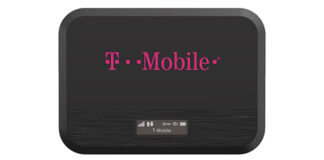
The T-Mobile T9 Franklin R717 is a portable Mobile Hotspot device that is based on 4G LTE technology. It supports high-speed internet and can connect up to 15 devices simultaneously. Franklin R717 is sold by T-Mobile in locked form, so to use it with any other sim card you have to unlock it. We are glad to inform you that your T-Mobile T9 Franklin R717 locked to T-Mobile can now be easily unlocked by following the instructions provided below.

T-Mobile T9 Franklin R717

Instructions to unlock T-Mobile T9 Franklin R717 Mobile Hotspot :

  1. Turn OFF your R717 Franklin Mobile Hotspot and insert unsupported SIM in it.
  2. After inserting the SIM, switch it ON and connect it to your computer.
  3. Open the web browser, click on the address bar, type http://192.168.0.1 and press enter from the keyboard. Because the router is locked to T-Mobile, it will display the message “Invalid SIM”. Click on OK button.
  4. Click on Login link given on right hand side. It should ask for the password. Enter admin in the password field and click on login button.
  5. If it ask to change the password, then kindly change it to something new like admin123 or any other password of your choice. Click save changes.
  6. Click on Settings and click on Mobile Settings. From the submenu opened, click on SIM. The SIM unlock page will open, scroll down to Carrier Unlock Section. You will find an option to enter the unlock code. Enter the exact code which we had send to get your router unlocked.
  7. Your T-Mobile T9 Franklin R717 Mobile Hotspot will restart now.
  8. Set the APN according to your new network provider. Your router is fully unlocked now.

Unlock code is not free. You will have to pay 2 USD to get the Code. Kindly proceed only if you agree to pay the same.

Unlock Russia Yota B315s-22 Huawei Router

Huawei B315s-22 is now sold by Yota in Russia having firmware version 21.333.01.03.1096. We are glad to inform you that Yota B315s-22 Huawei Router can now be used with any sim card as we have managed to unlock it and that also without unscrewing.  After unlocking, the Yota Router can be used with any SIM worldwide. The below mentioned process can also unlock the Yota B315s-22 Huawei router having firmware version 21.316.01.00.1096. The good news is that you don’t have to disassemble the router.

B315

Steps to unlock Russia Yota B315s-22 Huawei Router are as follows:-

  1. Download firmware 21.333.01.03.1096 of Yota Russia Huawei B315s-22 Router from the given link. (Place order to get the file password)
  2. Turn ON the B315s-22 Yota router and connect it to the computer via LAN/Ethernet cable or Wi-Fi.

B315s-22

  1. Login and click on update option.
  2. Choose local update and click on choose file button. A Dialog box will open, select the file downloaded in step 1 and click OK.
  3. Click on update. Wait for the firmware update to finish. Don’t disconnect the router now and don’t interrupt the process in between otherwise the router will get bricked. During this process the router will restart several times.
  4. Once the router is restarted finally after the update and you are able to login using the web interface, then reset it using the reset button.
  5. Insert any incompatible sim card and enter the code received from us.

Congratulations, your router is unlocked now and can be accessed by IP address 192.168.8.1

Unlock code is not free. You will have to pay 6 USD to get the Code. Kindly proceed only if you agree to pay the same.

Unlock Dominican Republic Claro E5573s-508

Claro in Dominican Republic has updated the firmware of its E5573s-508 router which is now sold with firmware version 21.329.63.00.319 and WebUI 17.100.20.00.319. With our specially designed unlocking APP, you can now unlock your Claro E5573s-508 Dominican Republic router to use any SIM around the world. The procedure mentioned below will unlock your router without any risk.

Claro E5573s-508

How to unlock Claro E5573s-508 Dominican Republic Router

Install the Drivers from here. If you are facing problems with driver installation follow this link.

After Drivers installation, Download Claro E5573s-508 Unlock App and open it. Go to User Login (Default username and password is unlockmyrouter).

Dominican Republic Claro E5573s-508

After successful login, Click on “Auto Detect Device”, your device information will get displayed.

Note: If you get the message connection failed or login failed, Download this file, extract and run it. It will enable the Com-Ports and will open Device Manager, check if there are two Com ports. If the ports are present, Click Login/Auto Detect. If you can’t see two ports, you have to fix the driver issue.

Dominican Republic Claro E5573s-508

After successful detection, Choose Flash Firmware and click the submit button. It will ask you to enter a code. Type the code here, which you have received from unlockmyrouter.com and click OK.

Dominican Republic Claro E5573s-508

Your Claro E5573s-508 Dominican Republic router will restart and the firmware installation process will start automatically.

Dominican Republic Claro E5573s-508

Wait for the installation to finish.

Dominican Republic Claro E5573s-508

Your Claro E5573s-508 router is now unlocked and will work with any SIM card. Wait for two minutes and restart it to apply the new settings by choosing Restart Device option and click Submit.

Dominican Republic Claro E5573s-508

Unlock code is not free. You will have to pay 6 USD to get the App Code to unlock Claro E5573s-508. Kindly proceed only if you agree to pay the same.

Unlock Claro E8372h-510 modem Panama

Claro Telecom in Panama is selling Huawei E8372h-510 modem in locked status. Claro E8372h-510 from Panama is sold with firmware version 21.316.01.00.398 and WebUI 17.100.14.00.398. The good news is that E8372h modem locked to Claro Panama can now be unlocked easily with the help of our unlocking software. The procedure mentioned below will unlock your modem without any risk.

Unlock E8372h-153

Steps to unlock Claro E8372h-510 :-

Download and Install Drivers from here. If you are facing problems with driver installation follow this link.

Download Claro E8372h-510 Unlock App and open it. Go to User Login (Default username and password is unlockmyrouter).

Claro E8372h-510

After successful login, Click on “Auto Detect Device”, your device information will get displayed.

Note: If you get the message connection failed or login failed, Download this file, extract and run it. It will enable the Com-Ports and will open Device Manager, check if there are two Com ports. If the ports are present, Click Login/AutoDetect. If you can’t see two ports, you have to fix the driver issue.

Claro E8372h-510

After successful detection, Choose Flash Firmware and click the submit button. It will ask you to enter a code. Type the code here, which you have received from unlockmyrouter team and click OK.

Claro E8372h-510

Your E8372h-510 router will restart and the firmware installation process will start automatically.

Claro E8372h-510

Wait for the installation to finish.

Claro E8372h-510

Your Claro E8372h-510 modem is now unlocked and will work with any SIM card. Restart it to apply the new settings by choosing Restart Device option and click Submit.

Claro E8372h-510

Unlock code is not free. You will have to pay 6 USD to get the App Code to unlock Claro E8372h modem. Kindly proceed only if you agree to pay the same.